Software
Trygg
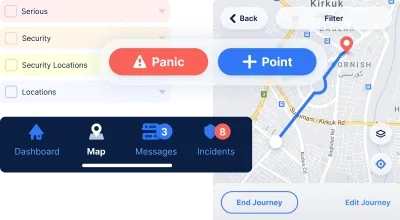
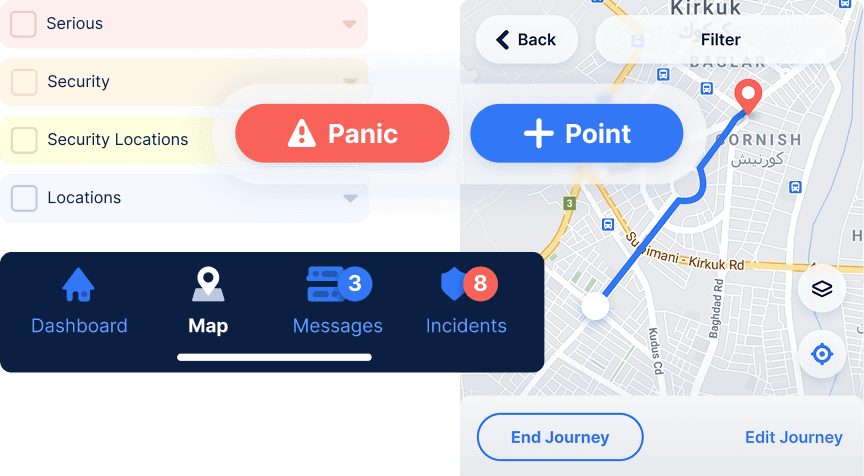
Trygg is a global safety and communication platform protecting workers in high-risk environments. We designed intuitive UI/UX for their mobile apps and admin dashboard, featuring emergency panic mode, real-time location tracking, incident reporting, and comprehensive design system.
Client
Trygg
Industry
Enterprise Software
Solution
UI/UX Design

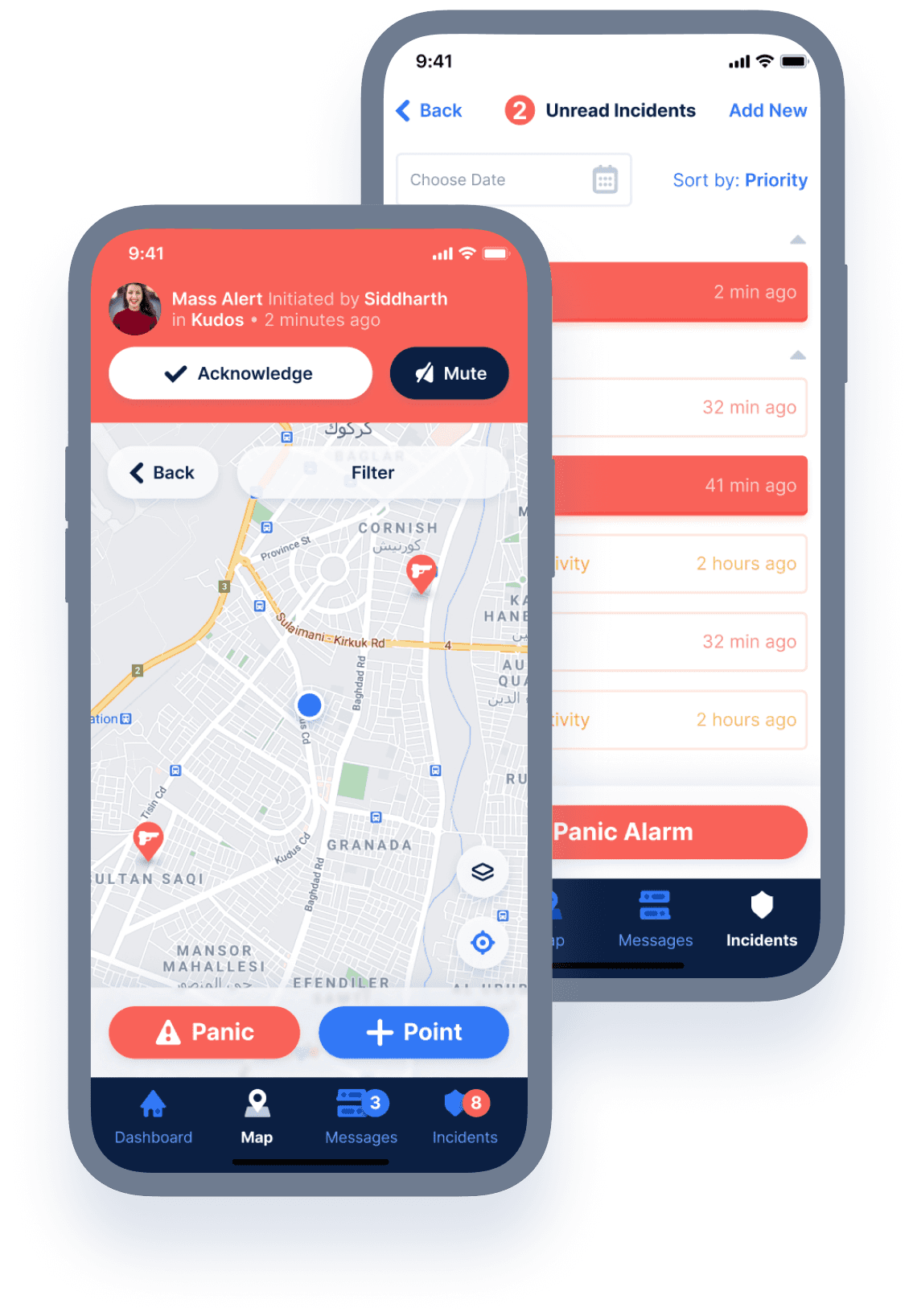
Trygg is a comprehensive staff safety and communication platform designed for organizations operating in high-risk environments. The platform enables real-time location tracking, emergency response coordination, and secure team communication, protecting workers across 190+ countries. Our design challenge was to create intuitive interfaces that could deliver critical safety features while maintaining simplicity during high-stress situations.
The Challenge
Designing for safety-critical applications presents unique challenges: interfaces must be instantly understandable during emergencies, accessible in extreme conditions, and provide complex functionality without overwhelming users. Trygg needed a dual-platform design system that served two distinct user groups—field workers requiring quick access to safety features on mobile devices, and administrators managing operations from desktop command centers. The design had to balance comprehensive functionality with the simplicity essential for emergency situations.
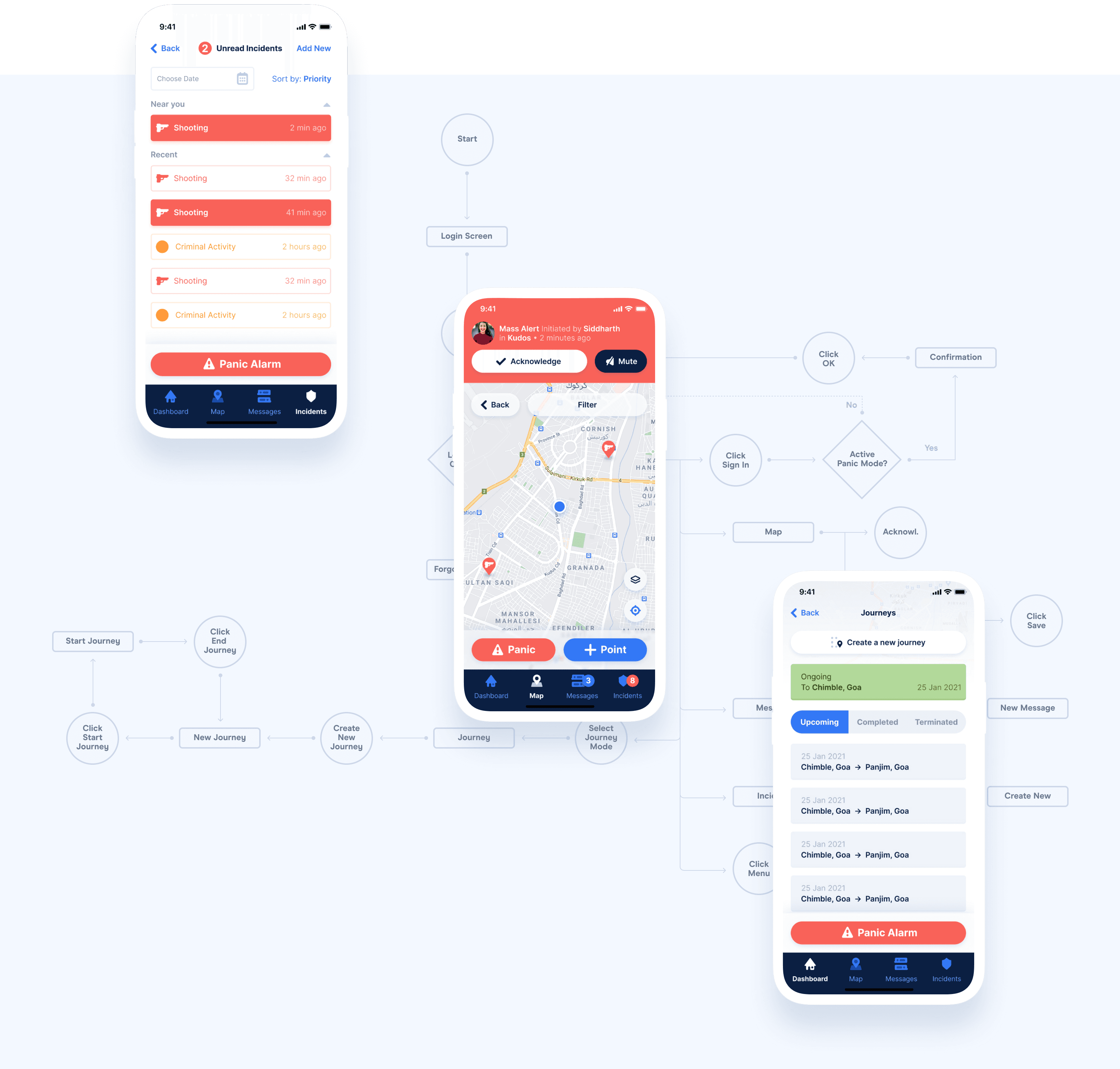
We created a comprehensive design system spanning desktop admin platforms and mobile applications, focusing on intuitive information architecture, clear visual hierarchy, and stress-tested usability that ensures critical features remain accessible when users need them most.
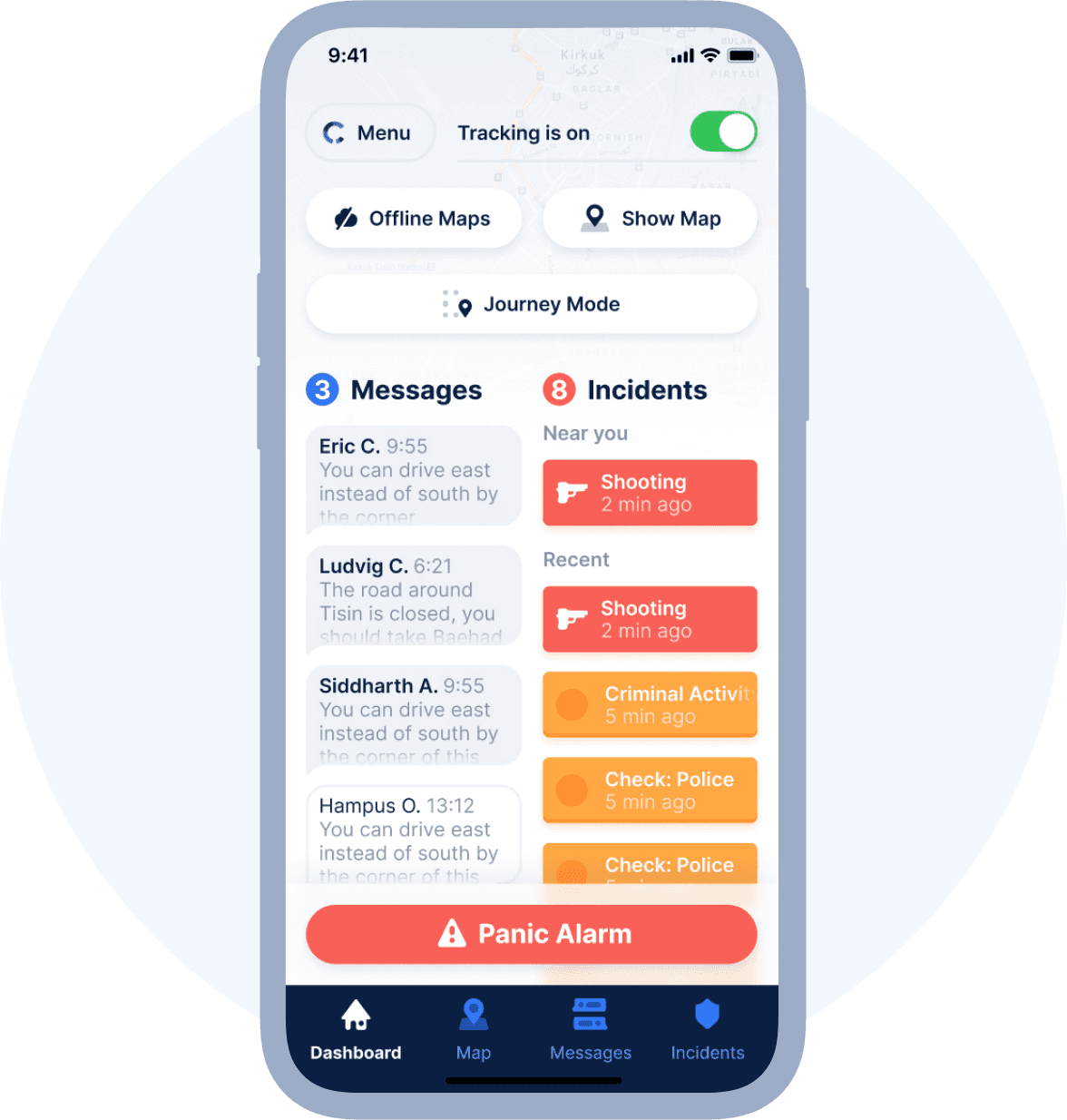
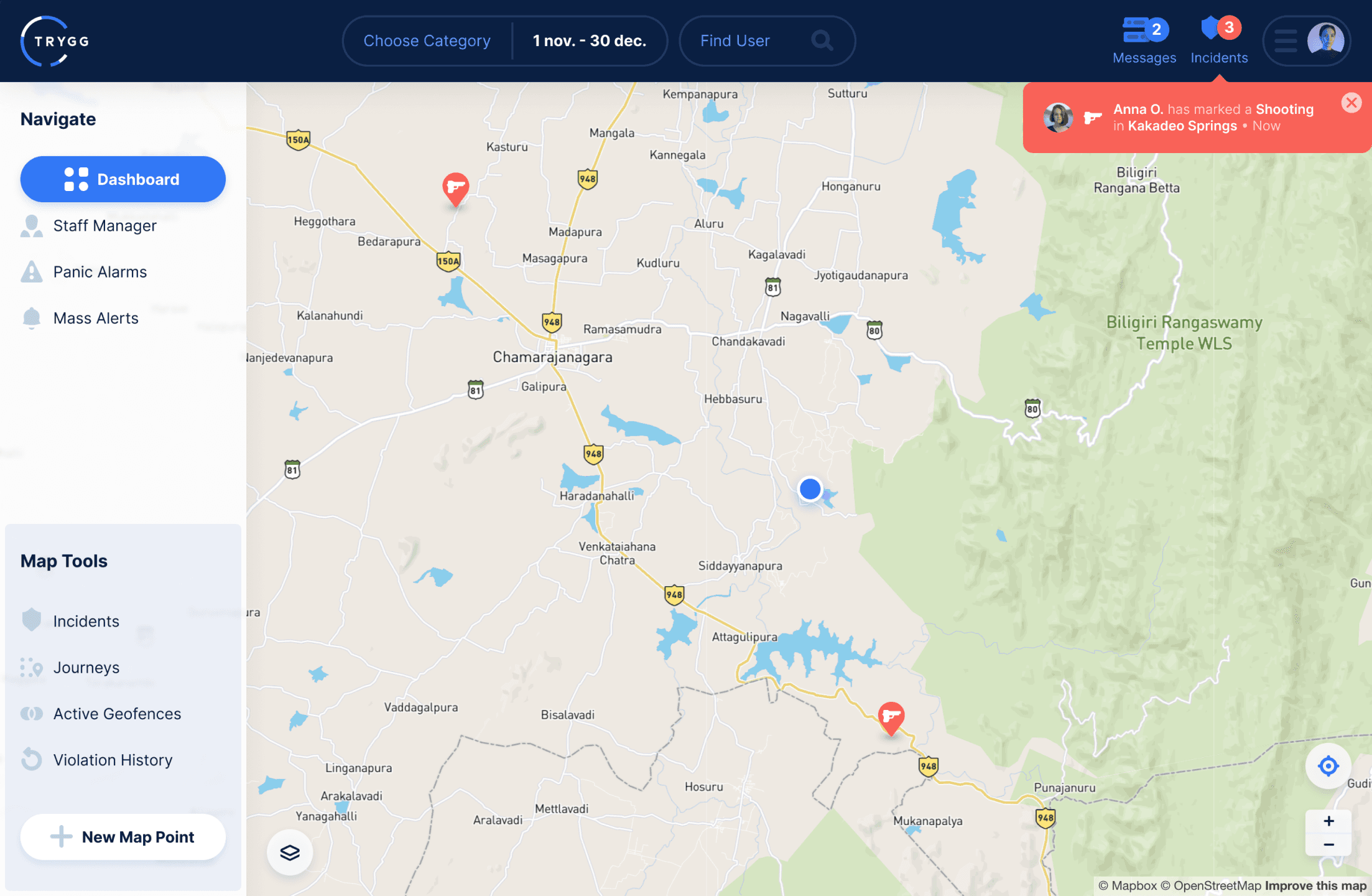
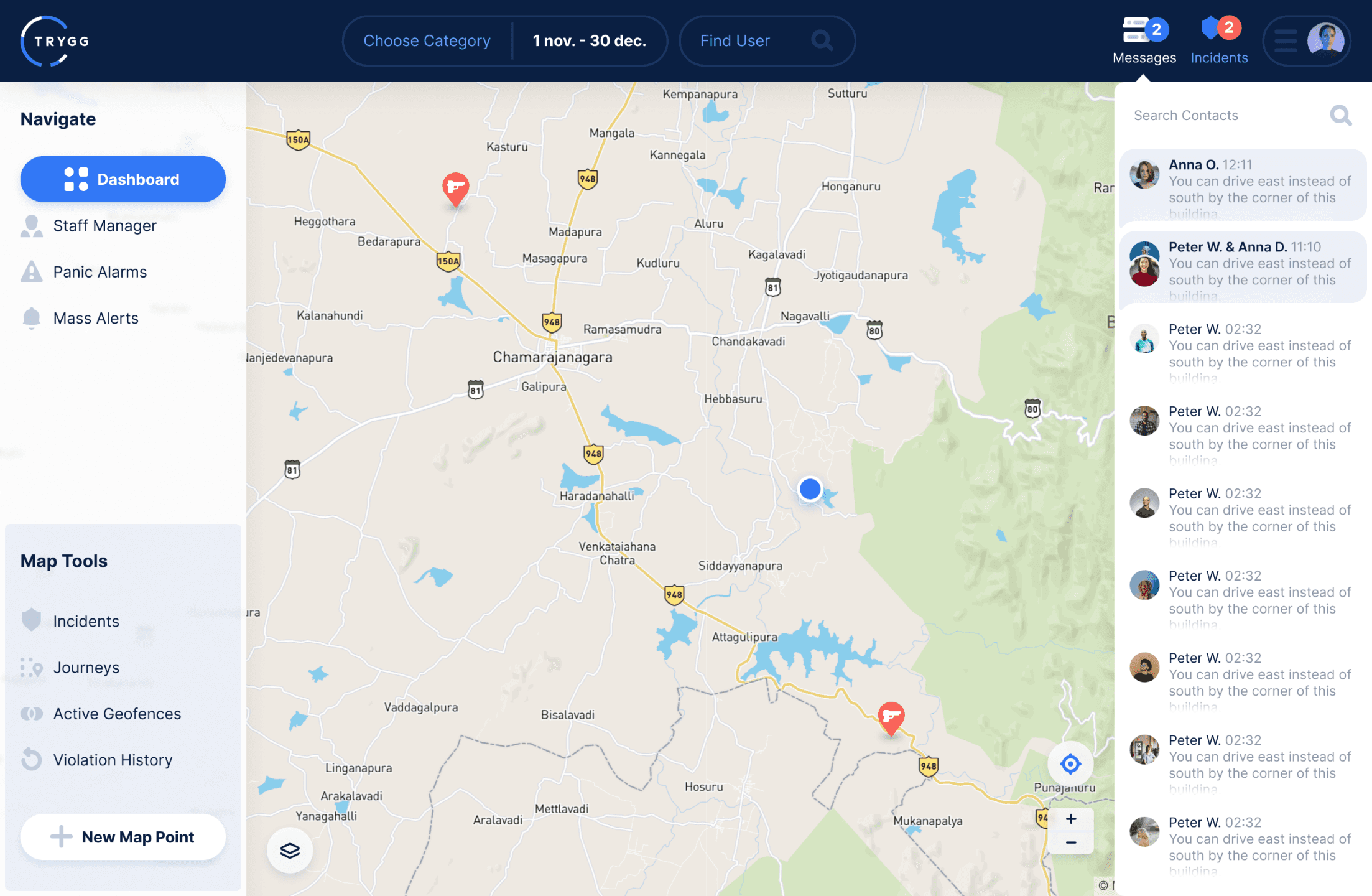
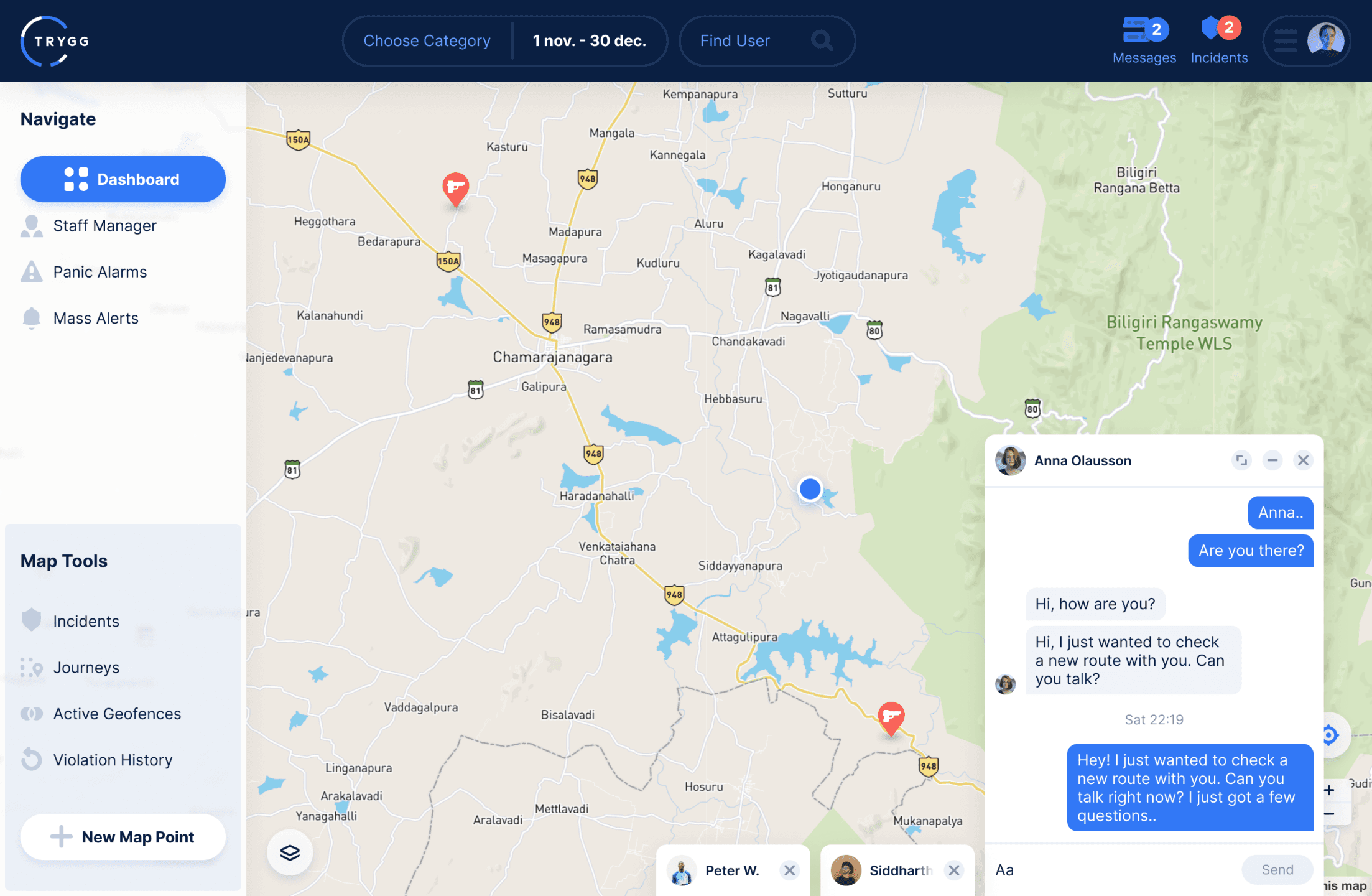
Intuitive command center interface for administrators featuring real-time team status cards, customizable widgets, and priority-based alert systems with clear visual hierarchy for instant situational awareness.
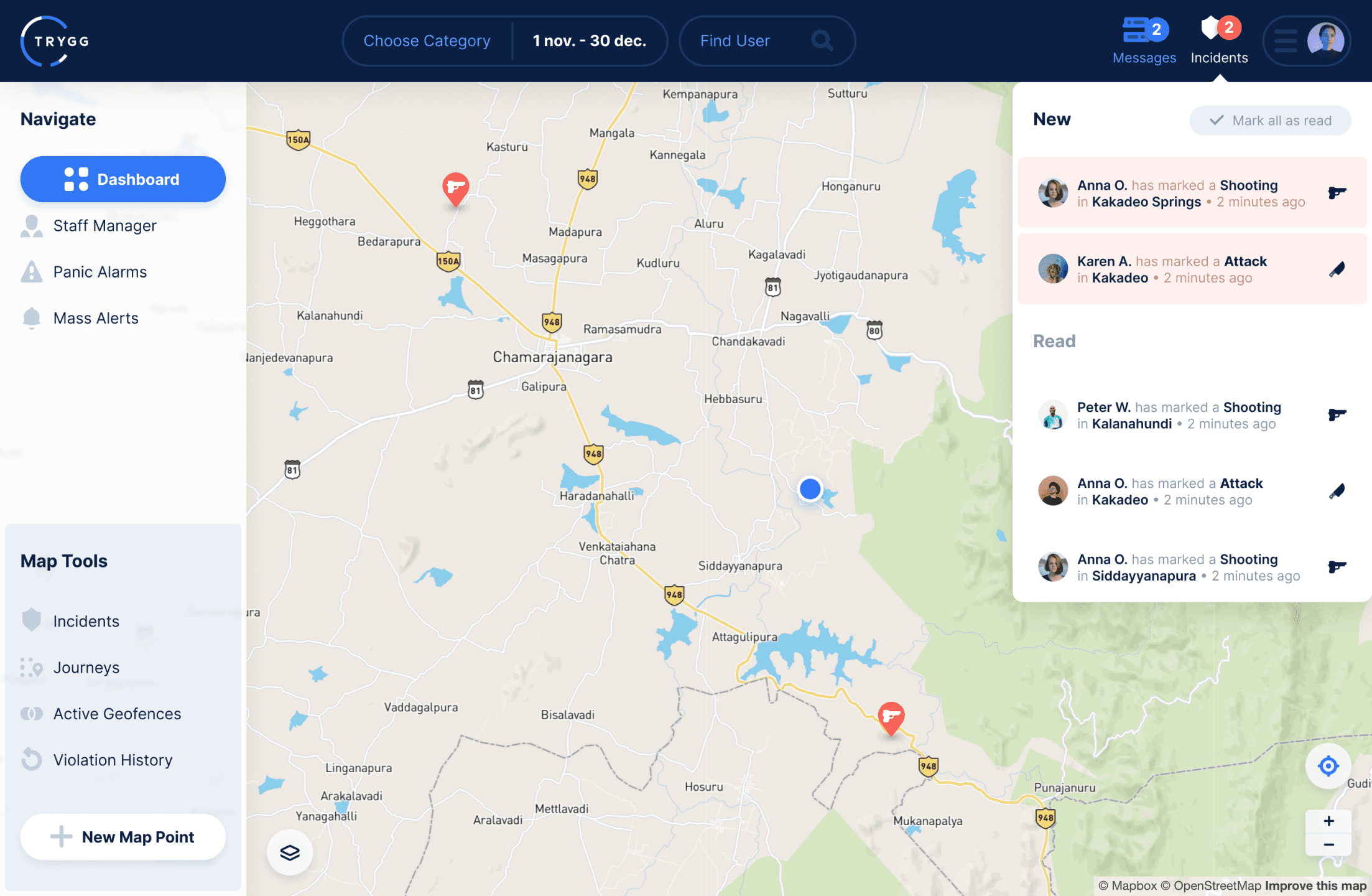
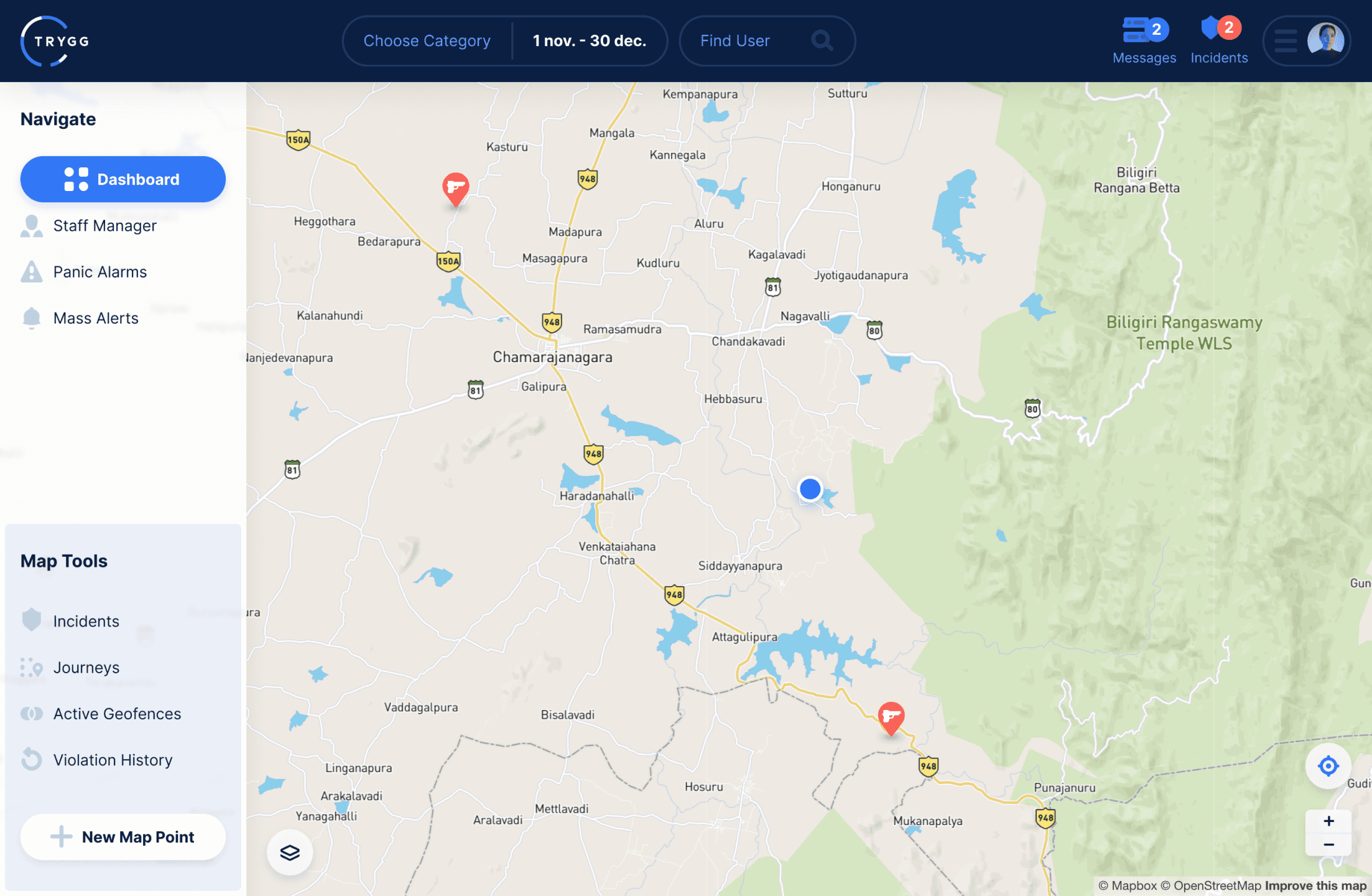
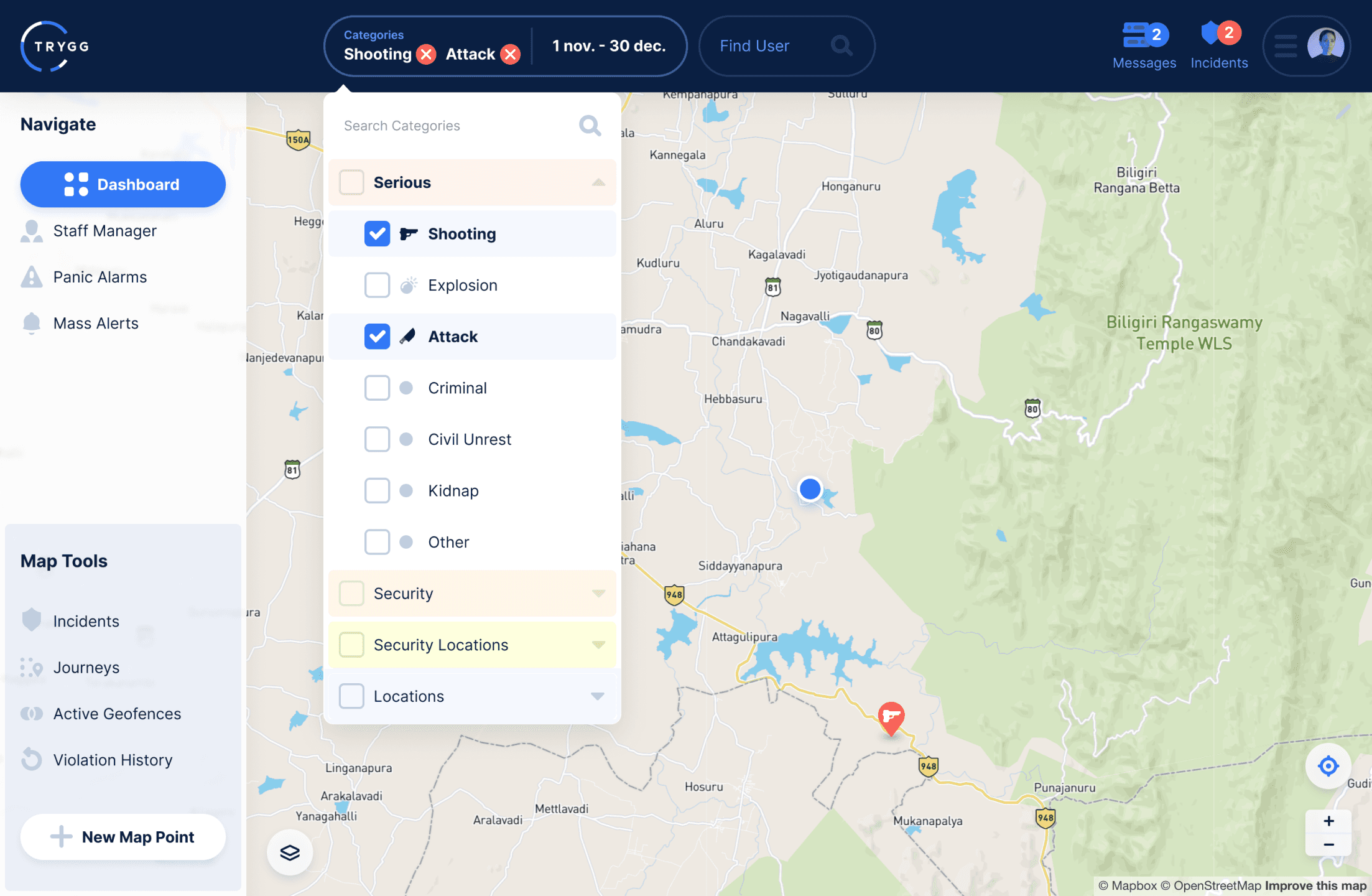
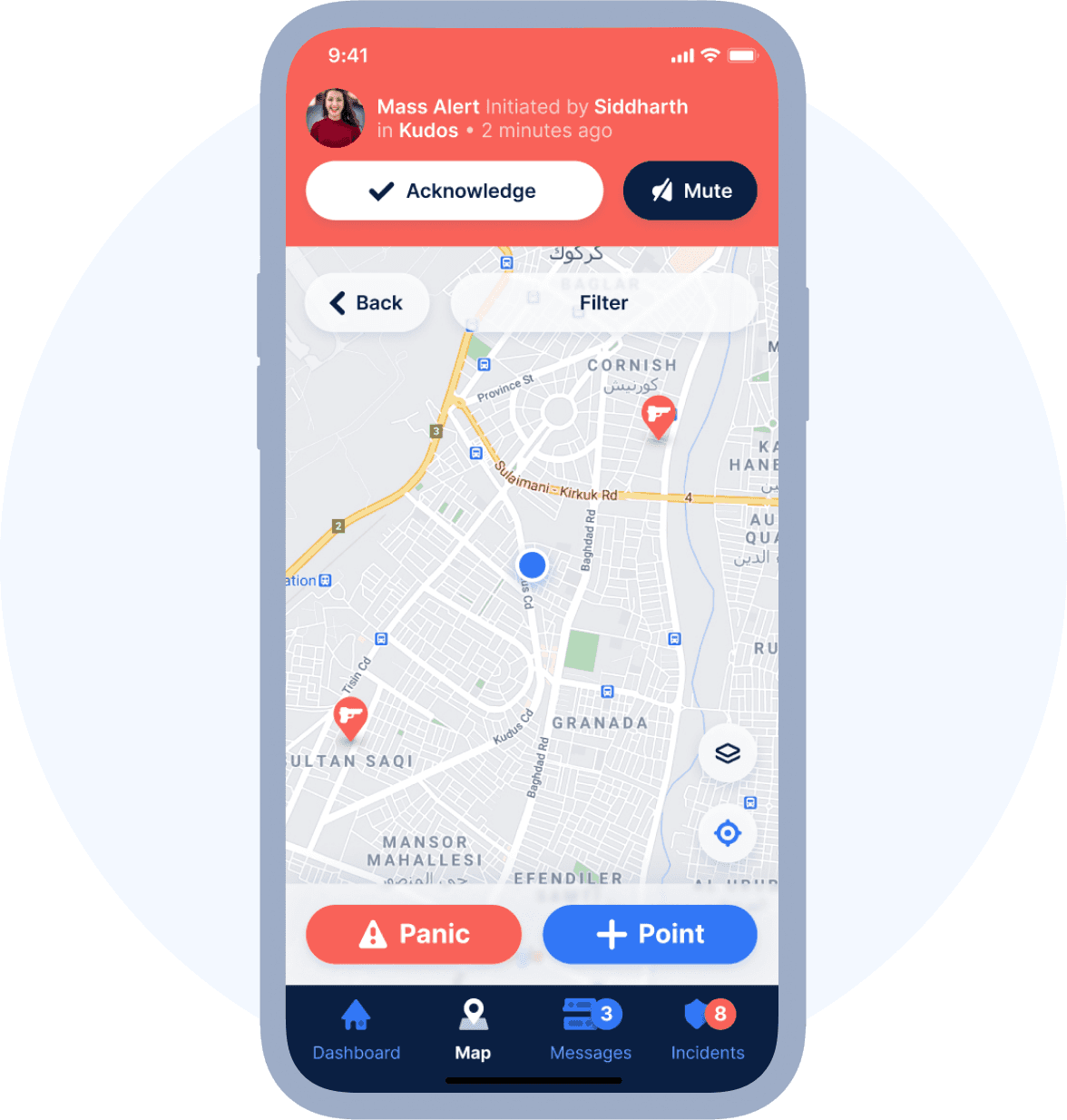
Sophisticated mapping system displaying live team locations with custom markers, incident heat maps, and layered information architecture allowing administrators to monitor multiple data points without visual overload.
Incidents and POI Management
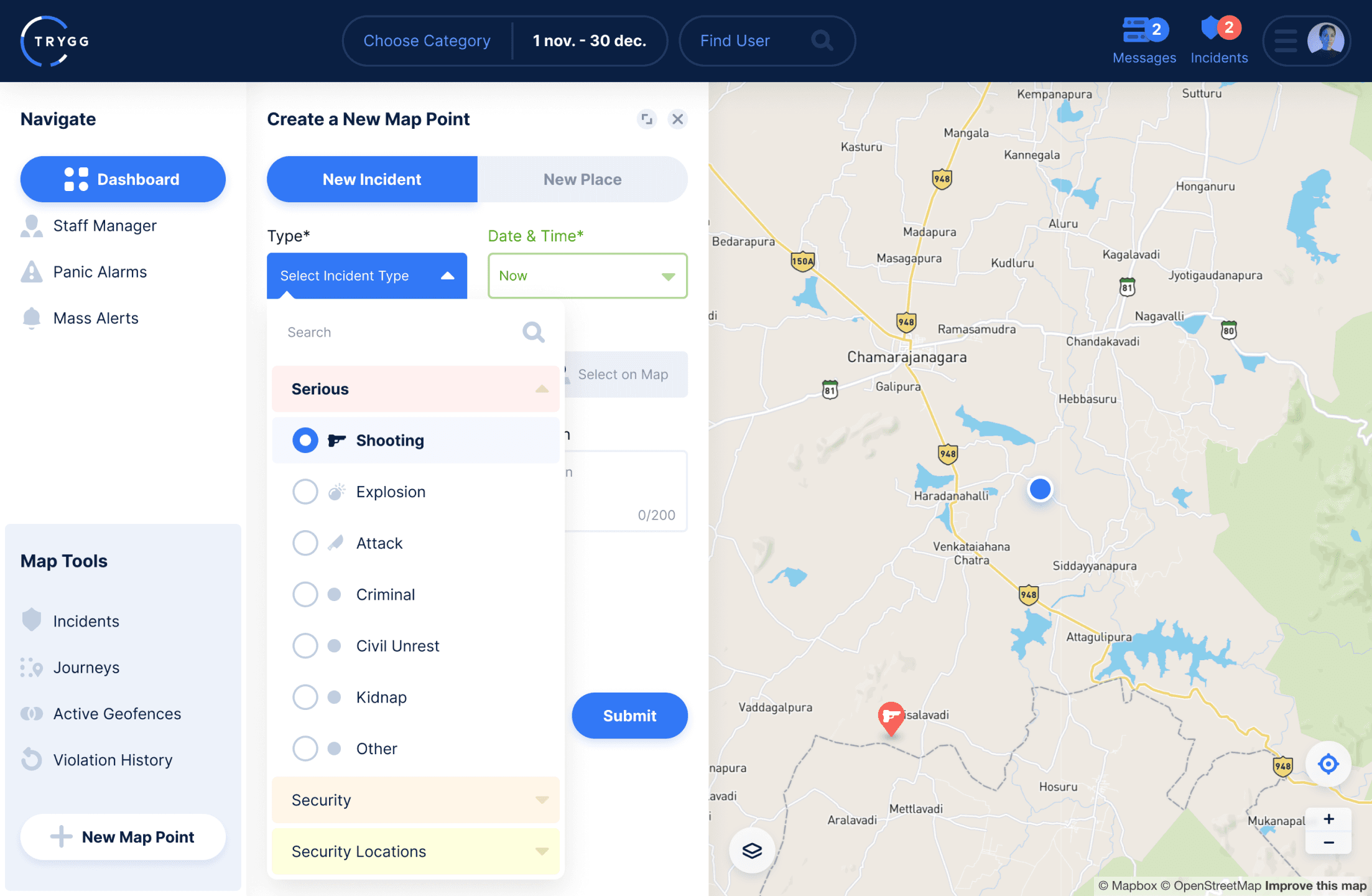
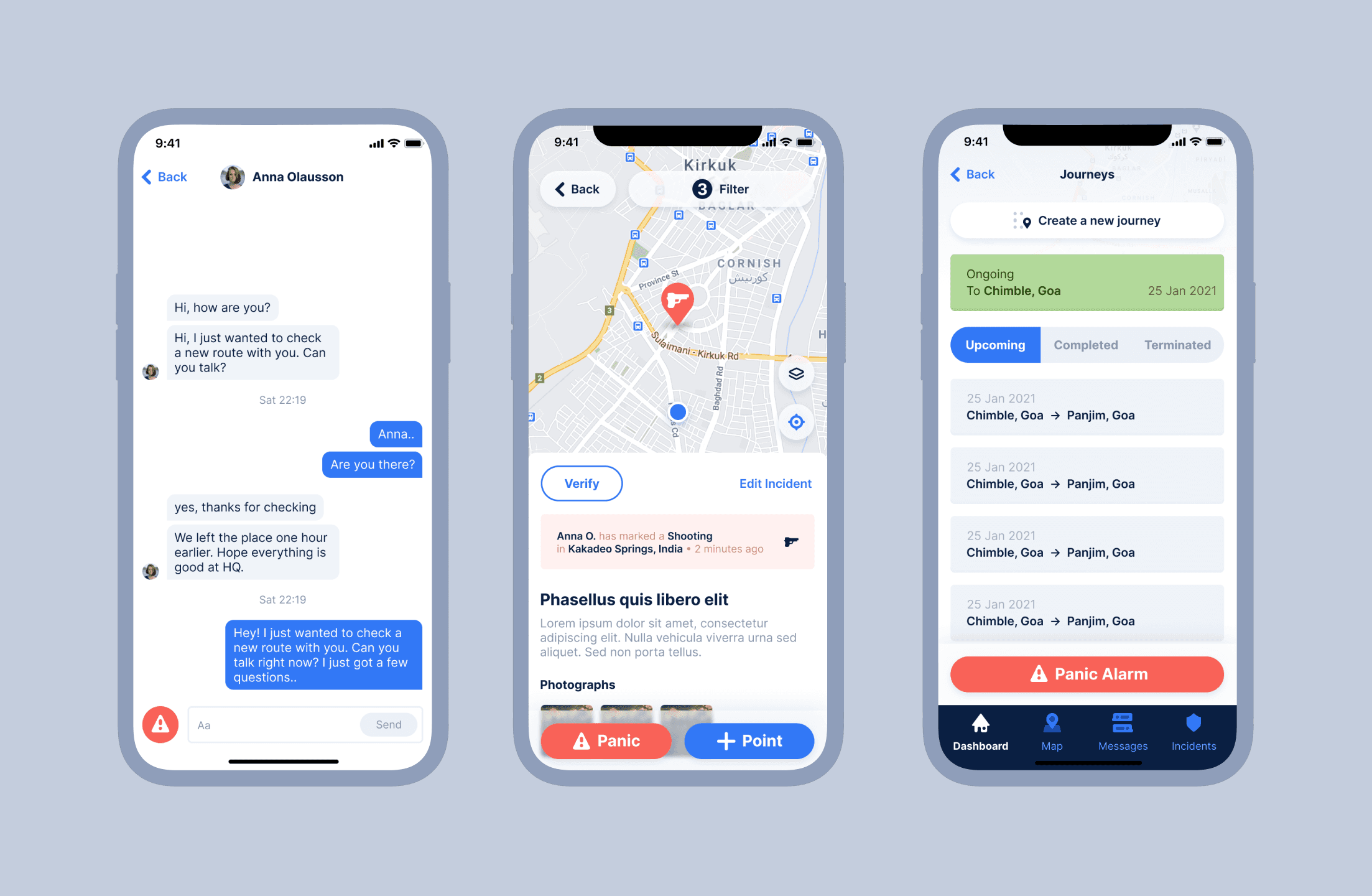
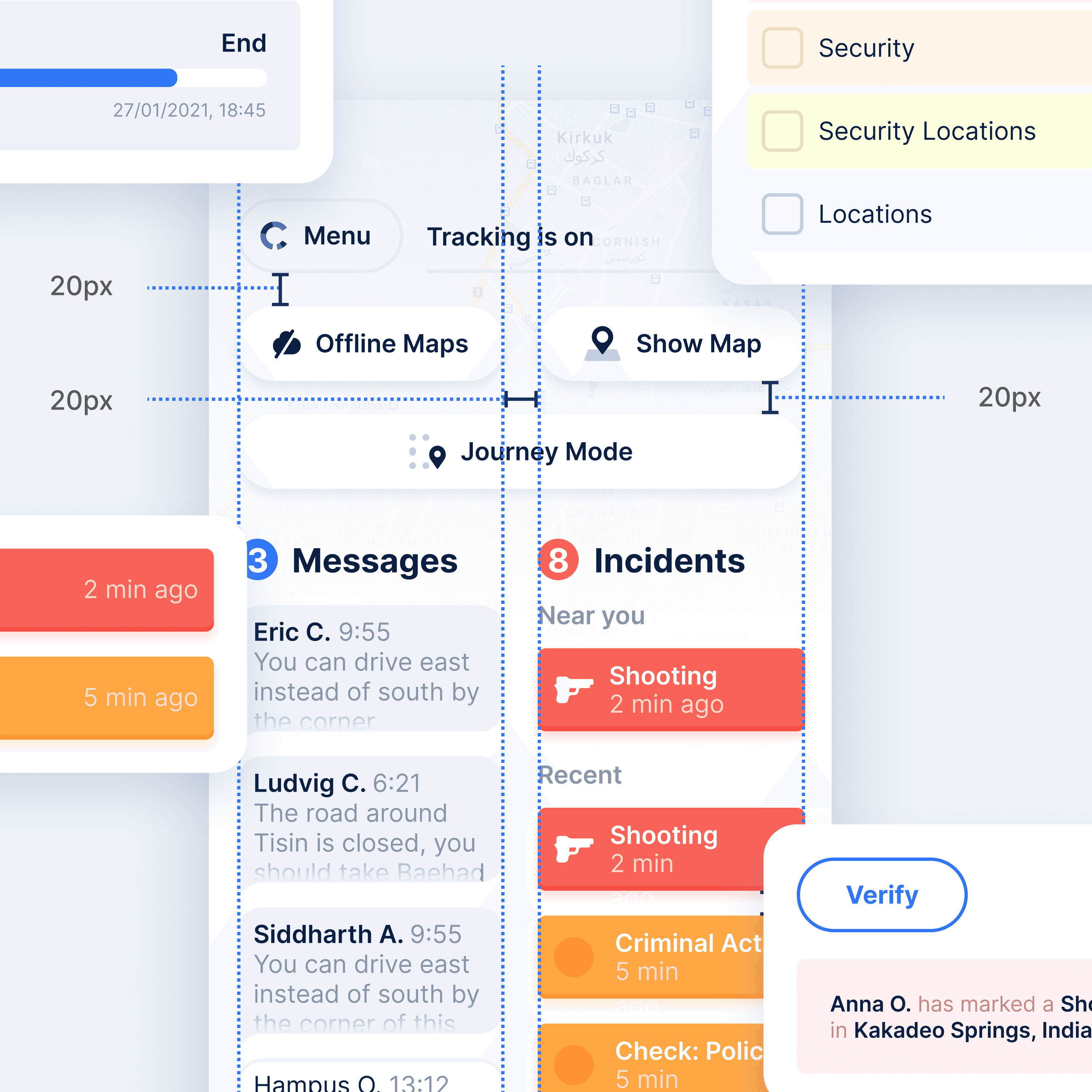
Streamlined incident reporting interface with icon-based categorization, severity indicators, and Points of Interest (POI) system enabling quick identification of safe zones, hazards, and critical infrastructure.
Emergency Panic Mode UI
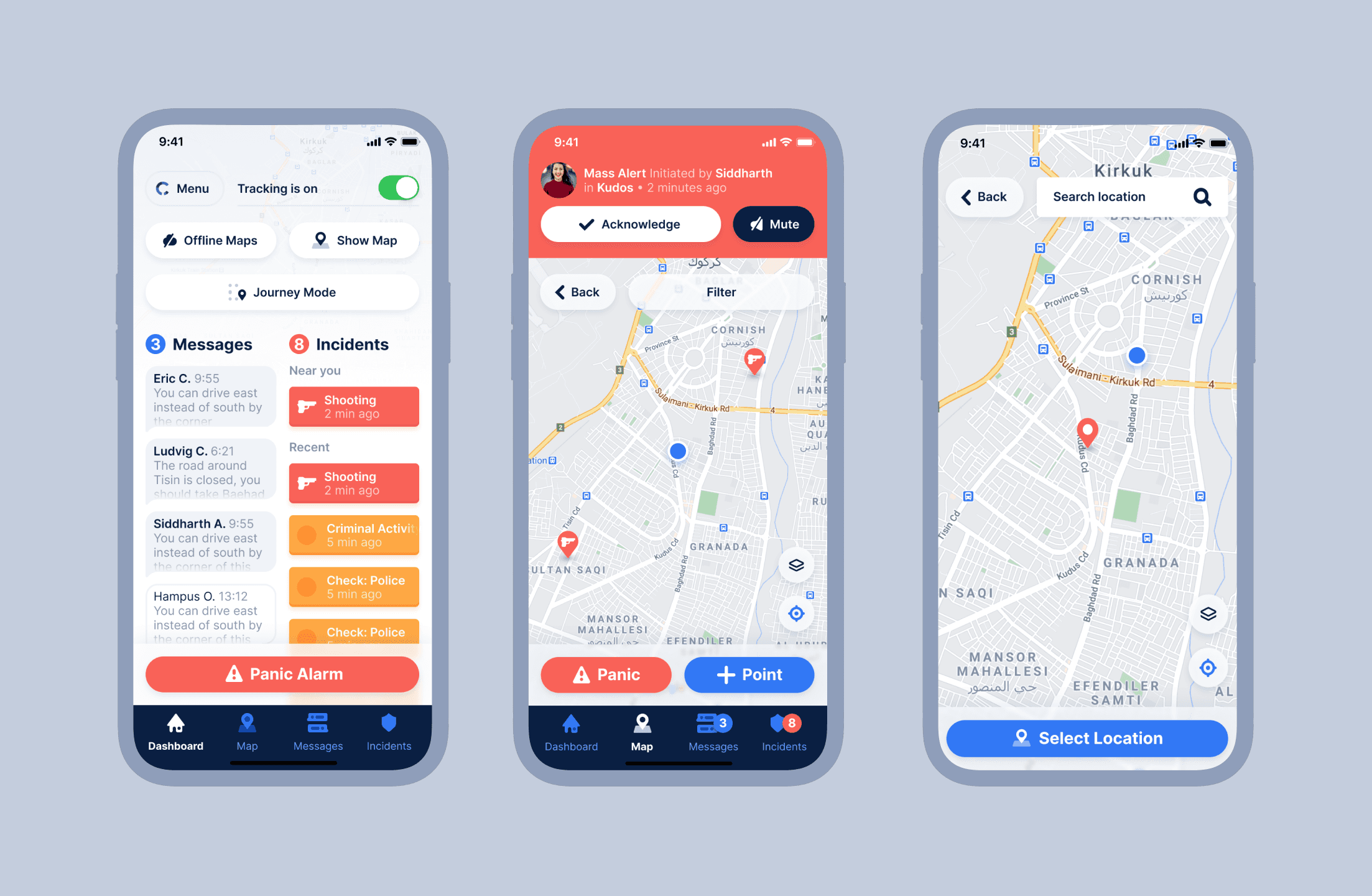
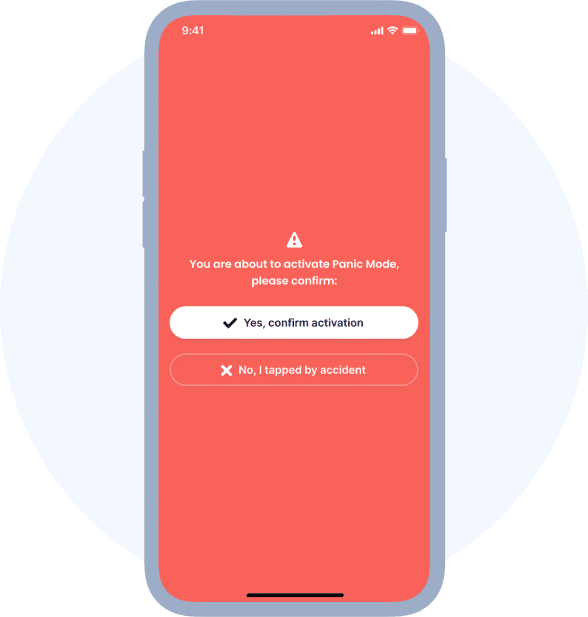
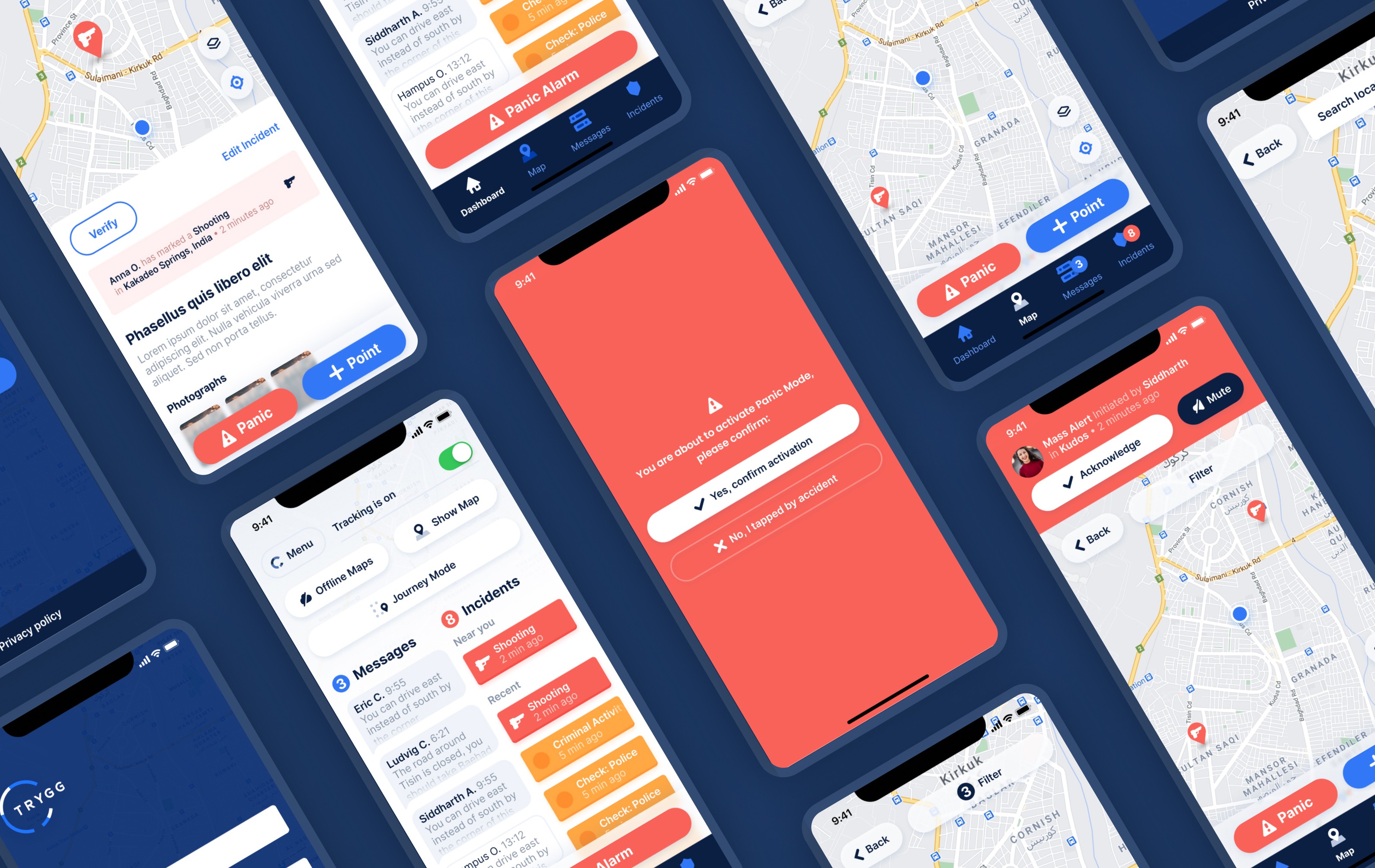
Discrete yet accessible panic button design with confirmation mechanisms preventing false alarms, visual countdown timers, and clear escalation paths ensuring help arrives when needed most.
Comprehensive Design System
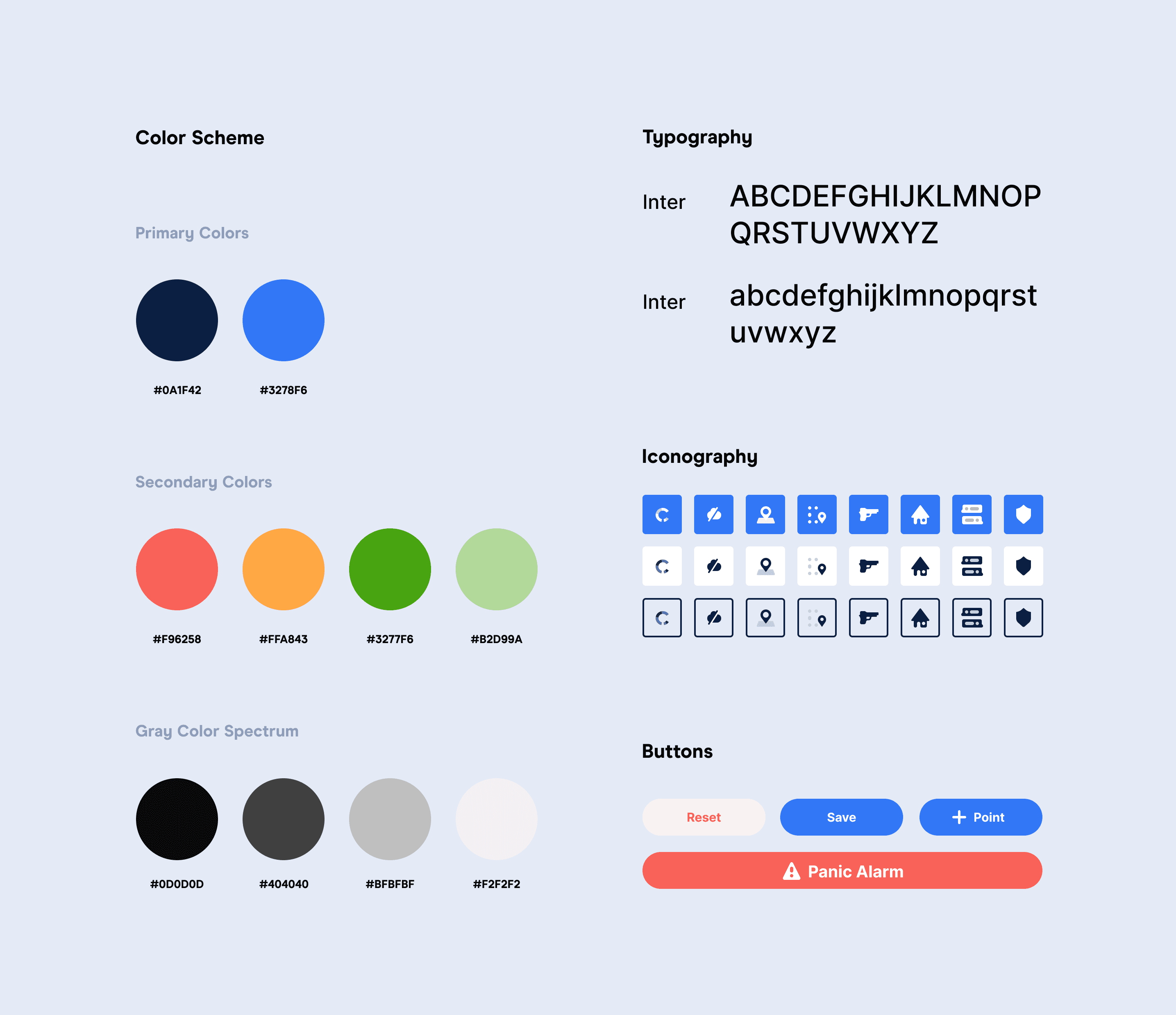
Cohesive design language spanning platforms with consistent color coding for urgency levels, accessible typography, standardized components, and adaptable layouts maintaining familiarity across desktop and mobile experiences.
Usability Testing & Iteration
Extensive user testing with field workers and safety managers, stress-testing interfaces under simulated emergency conditions, iterative refinement based on real-world feedback, and accessibility validation for extreme environments.
Design Process & Methodology
Stakeholder Interviews: Understanding safety requirements from security managers and HSE professionals
Field Studies: Observing workers in high-risk environments to identify usability challenges
Competitive Analysis: Evaluating existing safety platforms to identify improvement opportunities
User Journey Mapping: Documenting critical paths for both emergency and routine scenarios
Clarity Over Complexity: Every element serves a clear purpose with no decorative distractions
Accessibility First: WCAG AAA compliance ensuring usability in all conditions
Progressive Disclosure: Complex features revealed contextually without overwhelming new users
Fail-Safe Design: Critical actions require confirmation while remaining quickly accessible
Color Psychology: Red for emergencies, amber for warnings, green for safe status
Typography Hierarchy: Clear differentiation between critical alerts and routine information
Iconography System: Universally understood symbols transcending language barriers
Dark Mode Support: Reducing eye strain during night operations and preserving night vision
Key Takeaways
The Trygg project showcases our expertise in designing mission-critical interfaces where user experience can literally save lives. We successfully balanced complex safety features with intuitive design, creating interfaces that remain usable under extreme stress while meeting the distinct needs of both field workers and administrators. Our comprehensive design system ensures consistency across platforms while our rigorous usability testing validates that the design performs when it matters most. Through user-centered design principles and accessibility-first approach, we delivered a solution that makes advanced safety technology accessible to users of all technical backgrounds, ultimately helping organizations protect their most valuable asset—their people.