Why I built Notarizer
Why I built Notarizer
I'd just finished my first macOS app. Coming from iOS, that was already a learning curve — new conventions, new patterns, a whole different sense of how things are supposed to fit together. But I got there. The app worked. I was ready to ship. That's when I ran into notarization: the step where Apple signs off on your app so the person opening it for the first time doesn't get a scary warning telling them to drag it straight to the trash.
Honestly, I didn't really understand how it worked. I read a few guides online, and some of it made sense, but a lot of it didn't. So I did what anyone would do and went looking for an app that could just handle it for me. The ones I found were either locked behind a hefty paywall, or so crammed with options I couldn't tell where to begin. Most of them also looked like they hadn't been touched in years.
So I went to the terminal and tried to do it by hand. Something got messed up along the way, and on top of that I couldn't customize the DMG — the little window that pops up when you open the file, where you drag the app into the Applications folder. I wanted it to look a certain way, and there was no obvious path to get there.
That's where Notarizer started.
What it is
At first, it was just for me. A small app that took a .app file, walked it through the notarization steps, and handed back a DMG I could actually ship. Nothing fancy. No grand plans.
But the more I used it, the more I figured other developers might want something like it too, especially anyone doing this for the first time. So the goal quietly shifted. It went from "just get the job done" to "help you understand what's happening while it gets the job done."
If something fails (your Apple account isn't active, a developer certificate is missing, your signing identity is off), the app tells you what went wrong and points you toward the fix. There's a built-in FAQ for the errors that tend to come up again and again, so you're not stuck digging through forums at one in the morning.
How it works
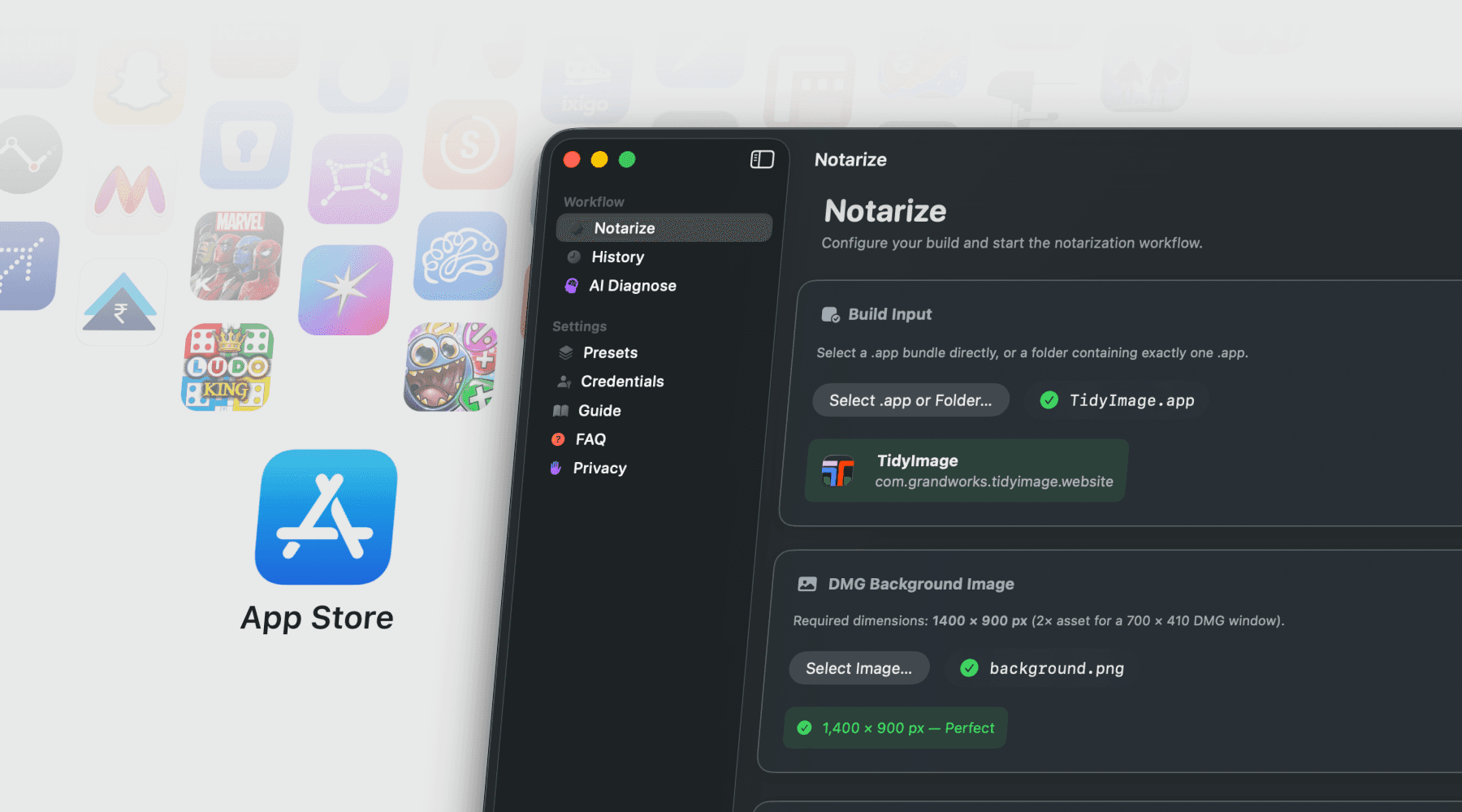
The flow is simple. Pick your .app, pick a background image for the DMG, pick the Apple credentials you've already saved, and hit go.
Under the hood, the app moves through four steps: it checks your inputs, builds and signs the DMG, submits it to Apple for notarization and stapling, and then verifies the result. Each step keeps its own log, so when something breaks you can see exactly where and why. If a step fails you do have to restart the whole thing, but at least you'll know which one tripped it up instead of guessing.
There's also a live preview of the DMG before you build it. Honestly, this was one of the main things I wanted to fix. Figuring out the window size, icon positions, and where the Applications shortcut should sit used to mean: build the DMG, open it, squint, nudge a number, rebuild, open it again… somewhere around the eighth run you start questioning your career. With Notarizer you just drag things around and watch the preview update as you go.
Credentials get saved once and tucked away in the Keychain. Presets let you store a whole setup so your next release doesn't start from a blank page. There's also an optional AI Diagnose tab: when a step fails, you can send the log to ChatGPT or Gemini and get a suggested fix. It's off by default, and entirely yours to ignore.
The annoying parts
A few things took longer than I thought they would.
macOS GUI apps don't inherit your terminal's PATH, which means tools installed with Homebrew (like create-dmg) just don't show up unless the app points at them directly. Looking up your Developer ID has a similar catch: the default keychain search doesn't behave the way you'd expect from inside an app, so it has to ask the login keychain by hand.
create-dmg itself is a little temperamental. Every so often it fails because Finder or QuickLook is still holding onto the image. The fix isn't glamorous — retry up to three times, clean up, wait a few seconds. But it works.
Sparkle was the other real time sink. I'd only recently come across it — the library most Mac apps use to handle auto-updates — and integrating it seemed like the obvious move. The catch is that Sparkle's signing tool lives buried somewhere inside Xcode's DerivedData folder. So the app has to go looking for it, run it, parse the signature out of a single line of output, and drop the result into your appcast.xml.
Closing
Notarizer isn't doing anything Apple's own tools can't already do. It's really just wrapping them up, so shipping a release is one click instead of fifteen minutes of shell-history archaeology. And if you're new to all this, you don't have to figure it out alone. Let Notarizer help you.

Senior iOS Engineer
Let’s explore how we can bring your ideas to life.
See how we’ve transformed ideas into success stories